
Table of Contents
When your smart thermostat is not maintaining the temperature in your home, it can be frustrating and uncomfortable. This common problem happens when your smart device fails to keep your home at the temperature you set.
The issue could be due to incorrect placement, wiring problems, software glitches, or compatibility issues with your HVAC system. In most cases, you can fix this yourself by checking the thermostat location, ensuring proper installation, updating the software, or recalibrating the device. If these steps don’t work, you might need professional help to address more complex issues with your HVAC system.
Smart thermostats are supposed to make our lives easier, but when your smart thermostat is not maintaining the temperature, it can be quite the opposite. Let’s look at the most common reasons for this frustrating problem.
Poor Thermostat Placement
Where you put your thermostat matters a lot. If your smart thermostat is placed near a heat source like a lamp, TV, or in direct sunlight, it might think your home is warmer than it actually is. This makes your thermostat think it doesn’t need to turn on the heat when your home is actually cold.
Similarly, if it’s near a draft from a window or door, it might think your home is cooler than it really is. This causes your heating system to run too much, making some rooms too hot while others stay cold.
Incorrect Installation
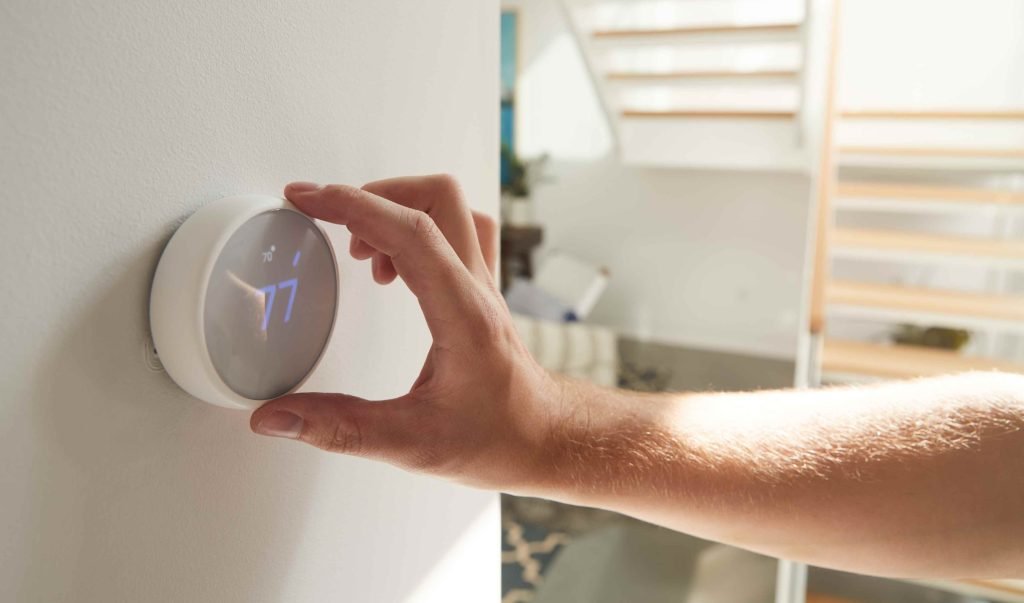
Many smart thermostat problems come from not installing them right. If the wiring isn’t connected properly, your thermostat might not be able to talk to your heating or cooling system correctly. This can make your smart thermostat not maintain the temperature you want.
Some people try to install their smart thermostats themselves without checking if their home’s wiring is compatible. This can lead to big problems that make your thermostat work poorly or not at all.
Software Issues
Just like your phone or computer, smart thermostats need updates to work well. If your thermostat’s software is outdated, it might not control your temperature correctly. Sometimes, the thermostat app on your phone might also have bugs that affect how well your system works.
HVAC System Problems
Sometimes the problem isn’t with your smart thermostat at all. Your heating or cooling system might be the real culprit. If your HVAC system is too old, too small for your home, or needs maintenance, your smart thermostat won’t be able to maintain the temperature, no matter how “smart” it is.
Dirty filters, leaky ducts, or worn-out parts in your HVAC system can all make it hard for your smart thermostat to do its job properly.
Power Supply Problems
Many smart thermostats need a constant power supply to work right. If your thermostat keeps losing power or has a weak battery, it might not be able to maintain the temperature consistently. Some models need a C-wire (common wire) to provide steady power, and without it, they might act strangely.
How to Troubleshoot Your Smart Thermostat
When your smart thermostat is not maintaining the temperature, you don’t have to call a professional right away. Try these troubleshooting steps first to see if you can fix the problem yourself.
Check Your Thermostat Settings
First, make sure your thermostat is set to the right mode. If it’s summer, it should be in “Cool” mode. If it’s winter, it should be in “Heat” mode. Sometimes people accidentally put their thermostat in the wrong mode or even “Off” mode without realizing it.
Also, check if you have any schedules or programs running that might be changing your temperature settings without you noticing. Your smart thermostat might be following a program you set up earlier and forgot about.
Restart Your Thermostat
Just like with computers and phones, sometimes the easiest fix is to turn it off and on again. Most smart thermostats have a reset button or a way to restart them through the menu. This can clear up small software glitches that might be causing your smart thermostat to not maintain the temperature.
Be careful not to do a factory reset unless you really need to, as this will erase all your settings and schedules.
Check for Software Updates
Make sure your thermostat has the latest software version. Most smart thermostats will update automatically if they’re connected to Wi-Fi, but sometimes they need a little help. Check your thermostat’s app or the manufacturer’s website to see if there are any updates available.
Verify Your Wi-Fi Connection
If your smart thermostat is not maintaining the temperature, it might be because it has lost its connection to your home Wi-Fi. Without Wi-Fi, many smart features won’t work properly. Check if your thermostat is still connected to your network, and reconnect it if needed.
Check Your HVAC System
Make sure your heating and cooling system is actually running when your thermostat calls for it. Listen for the system turning on, and feel if air is coming out of your vents. If your HVAC system isn’t responding to the thermostat, the problem might be with your heating or cooling equipment rather than the thermostat itself.
Fixing Installation and Placement Issues
If basic troubleshooting doesn’t solve the problem when your smart thermostat is not maintaining the temperature, you might need to address installation or placement issues.
Optimal Thermostat Placement
Your smart thermostat should be installed:
- On an interior wall
- About 5 feet above the floor
- Away from direct sunlight
- Away from air vents, doors, and windows
- Not near appliances that generate heat
If your thermostat is in a bad spot, consider moving it to a better location. This might require some basic electrical work, so if you’re not comfortable doing it yourself, it’s worth calling a professional.
Checking Wiring Connections
If you suspect wiring issues, turn off power to your HVAC system at the breaker box before checking anything. Then, remove your thermostat from its base plate and check that all wires are securely connected to the right terminals. Look for any damaged or loose wires that might be causing problems.
Many smart thermostats have diagnostic features that can tell you if they detect wiring problems. Check your thermostat’s display or app for error codes or wiring diagrams.
C-Wire Installation
Many smart thermostats need a C-wire (common wire) to work properly. If your system doesn’t have one, your smart thermostat might not get enough power to maintain the temperature consistently. You have a few options:
- Install a C-wire adapter that comes with some thermostats
- Use a power extender kit
- Have an HVAC professional install a C-wire
- Choose a smart thermostat model that doesn’t require a C-wire
Level and Secure Mounting
Make sure your thermostat is mounted level on the wall. Some thermostats have built-in bubble levels to help with this. If your thermostat is tilted, it might not read temperatures accurately. Also, check that it’s securely attached to the wall and not loose or wobbly.
Addressing Software and Connectivity Problems
Software issues are a common reason why your smart thermostat is not maintaining the temperature. Here’s how to fix them.
Updating Firmware
Check if your thermostat needs a firmware update. Most manufacturers release updates to fix bugs and improve performance. You can usually check for updates through your thermostat’s app or settings menu. If an update is available, follow the instructions to install it.
Some older smart thermostats might need manual updates. Check the manufacturer’s website for instructions specific to your model.
App Troubleshooting
If you control your thermostat through a smartphone app, make sure the app is up to date. Sometimes the problem is with the app rather than the thermostat itself. Try:
- Updating the app to the latest version
- Logging out and back into your account
- Uninstalling and reinstalling the app
- Checking if the app has permission to run in the background
Wi-Fi Connection Issues
A stable Wi-Fi connection is essential for many smart thermostat features. If your smart thermostat is not maintaining the temperature, check your Wi-Fi:
- Make sure your home Wi-Fi is working
- Check if the thermostat is within range of your router
- Try resetting your router
- See if other devices are hogging your bandwidth
Some thermostats will continue to work on their basic schedule even without Wi-Fi, but they might lose some of their “smart” features until the connection is restored.
Recalibrating Temperature Sensors
Over time, your thermostat’s temperature sensors might become less accurate. Many smart thermostats allow you to calibrate the temperature reading if you notice it’s consistently off. Check your thermostat’s settings menu or manual for instructions on how to recalibrate.
You can test if your thermostat is reading the temperature correctly by placing a reliable thermometer near (but not touching) your thermostat for about 15 minutes, then comparing the readings.
When to Call a Professional
Sometimes, no matter what you try, your smart thermostat is not maintaining the temperature correctly. Here’s when it’s time to call in the experts.
Signs You Need Professional Help
Consider calling a professional if:
- You’ve tried all the troubleshooting steps, and nothing works
- Your thermostat displays error codes you can’t resolve
- You notice electrical issues like sparking or burning smells
- Your HVAC system won’t turn on or off properly
- You’re not comfortable working with electrical wiring
- Your home is consistently too hot or too cold despite thermostat adjustments
Finding the Right Professional
Not all HVAC technicians are familiar with smart thermostats. Look for:
- Technicians who specialize in your brand of smart thermostat
- Companies with good reviews for smart home installations
- Professionals who offer a warranty on their work
- Licensed and insured contractors
What to Expect from a Service Call
When a professional comes to fix your smart thermostat that’s not maintaining the temperature, they’ll typically:
- Test your thermostat’s functionality
- Check all wiring connections
- Inspect your HVAC system for issues
- Verify compatibility between your thermostat and HVAC system
- Recommend repairs or replacements if needed
A service call might cost between $75 and $200, depending on your location and the complexity of the problem. If parts need to be replaced, that will add to the cost.
Preventing Future Temperature Maintenance Issues
Once you’ve fixed the problem with your smart thermostat not maintaining the temperature, take these steps to prevent future issues.
Regular Maintenance Tips
Just like any technology, your smart thermostat needs regular care:
- Clean the thermostat gently with a soft, dry cloth every few months
- Check for and install software updates regularly
- Replace batteries as recommended by the manufacturer (if your model uses batteries)
- Check wiring connections once a year
- Test your system seasonally before extreme weather hits
HVAC System Care
Your smart thermostat can only work as well as the system it controls:
- Change air filters every 1-3 months
- Schedule professional HVAC maintenance twice a year
- Keep vents and returns clear of furniture and curtains
- Address unusual noises or performance issues promptly
Optimizing Smart Features
Get the most from your smart thermostat:
- Use learning features that adjust to your schedule
- Set up geofencing to adjust temperatures when you’re away
- Take advantage of energy reports to optimize settings
- Use room sensors if your model supports them for more even temperatures
- Connect your thermostat to other smart home devices for better automation
FAQ Section
Why is my smart thermostat not maintaining the temperature I set?
Your smart thermostat is not maintaining the temperature likely due to poor placement, incorrect installation, software issues, HVAC system problems, or power supply issues. Check if it’s placed near heat sources or drafts, verify the wiring is correct, update the software, and make sure your HVAC system is working properly.
How do I know if my smart thermostat is working correctly?
A properly working smart thermostat should maintain temperatures within 1-2 degrees of your set point, respond quickly to setting changes, display accurate room temperatures, and connect reliably to your Wi-Fi network. If your home temperature consistently differs from what your thermostat displays, something is wrong.
Do smart thermostats need batteries?
Some smart thermostats use batteries as a backup power source, while others rely entirely on your home’s electrical system through a C-wire. Check your model’s specifications. If your smart thermostat is not maintaining the temperature and uses batteries, try replacing them with fresh ones.
Why does my smart thermostat keep losing connection?
Your smart thermostat might lose connection due to Wi-Fi interference, router issues, power problems, or being too far from your router. Try moving your router closer, reducing interference from other devices, or installing a Wi-Fi extender to improve the connection.
Can a smart thermostat work without Wi-Fi?
Yes, most smart thermostats will continue to operate basic heating and cooling functions without Wi-Fi, but you’ll lose remote access, automatic updates, and some advanced features. If your smart thermostat is not maintaining the temperature and you’ve lost Wi-Fi, it should still follow its basic programming.
How often should I update my smart thermostat’s software?
Check for updates every 2-3 months, or set your thermostat to update automatically if it has that feature. Regular updates help fix bugs that might be causing your smart thermostat to not maintain the temperature properly.
Is my smart thermostat compatible with my HVAC system?
Not all smart thermostats work with all HVAC systems. Check the manufacturer’s compatibility tool before purchasing. Incompatibility can cause your smart thermostat to not maintain the temperature correctly. Most smart thermostats work with conventional forced air systems but may have issues with heat pumps, multi-stage systems, or radiant heating.
Why is there a big temperature difference between rooms in my house?
Temperature differences between rooms can be caused by poor insulation, air leaks, closed vents, unbalanced ductwork, or the natural tendency of heat to rise. Some smart thermostats offer room sensors to help balance temperatures throughout your home.
How accurate are smart thermostats?
Most smart thermostats are accurate within 1°F when properly installed and calibrated. If your smart thermostat is not maintaining the temperature accurately, try recalibrating it or check if it needs to be moved to a better location.
Can I install a smart thermostat myself?
Many homeowners can install smart thermostats themselves if they have basic electrical knowledge and their home has compatible wiring. However, incorrect installation is a common reason why a smart thermostat is not maintaining the temperature properly. If you’re unsure, hiring a professional is worth the cost.
Don’t let an uncomfortable home temperature affect your daily life!
If your smart thermostat is not maintaining the temperature properly, try the troubleshooting steps we’ve outlined. For persistent issues, consider scheduling an appointment with a qualified HVAC professional who specializes in smart home technology. They can diagnose complex problems and ensure your system works efficiently all year round. Take action today to restore comfort to your home and enjoy the full benefits of your smart thermostat!
Contact Kay Plumbing, Heating & Cooling, Heating, and Cooling today to schedule a maintenance or repair appointment!